

You know how many times you're in the terminal grinding away and suddenly you need to know some random thing? Like "how do I grep for that specific pattern?" or "what's the flag for that tar command again?" or "I need a quick bash one-liner to rename 400 files and I am NOT opening a browser for this."
You could open a browser. Search. Sift through SEO-optimized blog posts that take 47 paragraphs to say what could be said in one. Copy. Paste. Context switch. Lose your train of thought. Stare at the screen wondering what you were even doing.
Or you could just type ask and get your answer right there in the terminal. No browser. No GUI. No pants required.
What Is Ask?
ask is a lightweight CLI tool I wrote that sends prompts to the Opencode Zen API and prints the response directly in your terminal. That's it. That's the whole pitch. One ask, one response. No sessions, no sub-agents, no tools, no persistence.
It's a single bash script that does the heavy lifting so you don't have to leave your terminal:
- Reads your Zen API key from
~/.local/share/opencode/auth.json(or wherever you stashed it) - Picks the right endpoint for the model family (OpenAI-compatible or Gemini)
- Checks you're actually online before pestering the API
- Lists available models WITH PRICING so you know what you're getting into
- Sends the request with a live spinner so you know it hasn't dozed off
- Extracts the response with
jqand displays it with Markdown formatting viabat(falls back to plain text ifbatisn't around) - Prepend a customizable system skill to every prompt because a little coaching never hurt anyone
- Warns you if you're about to burn cash on an expensive model
But Why Though?
I got irritated. That's the honest answer. I was context switching in and out of the terminal constantly. Copying and pasting from browser windows. From Chat Gipity. From TUI's like opencode (which is great for coding, but not for a quick "explain this flag" question).
So I started playing around. Got it doing what I wanted. Then the "it could also do..." started. Then the "I bet other peeps might use this..." started. And you know how it goes.
So I (to the best of my ability and with help of a couple LLMs) tried to make it usable for anyone who would recognize it for what it is: a quick, simple, intuitive way to get information without leaving your terminal.
And no, this is not to be compared with actual chat agents or coding harnesses. It does not use tools, sub-agents, or persist sessions. One ask, one response. That's it. Could you manually copy your last ask and response into interactive mode and basically keep context across separate requests? Technically yes. Should you? At that point use an appropriate tool. This has a specific purpose for people who want to stay in their terminal, get info quickly, and get back to what they were doing.
Requirements
- A valid Opencode Zen API key in
~/.local/share/opencode/auth.json. You don't need to install the opencode CLI; you can create the JSON file yourself if you're feeling rebellious. - OR no API key at all, in which case
askwill try the freebig-pickleno-authentication endpoint. If it works, you're off to the races with exactly one model(which kinda sucks). -
jq,curl, andtput(usually already hanging out on most Linux distributions) -
bat(optional: makes Markdown responses look pretty) - A working internet connection, because
askrefuses to shout into the void.
On pricing: Opencode Zen is technically $20 to sign up. That's like 2 cups of foofoo coffee. And that $20 is your "balance" to use on various models they offer. Pay as you go. Use up the $20, add more, or stick to the free models. The free big-pickle model exists but is not guaranteed to work at any level and could become unavailable at any time. Use it for evaluation. Get a key if you actually want to use it.How To Use It
Inline prompt
ask "What is the difference between var, let, and const in JavaScript?"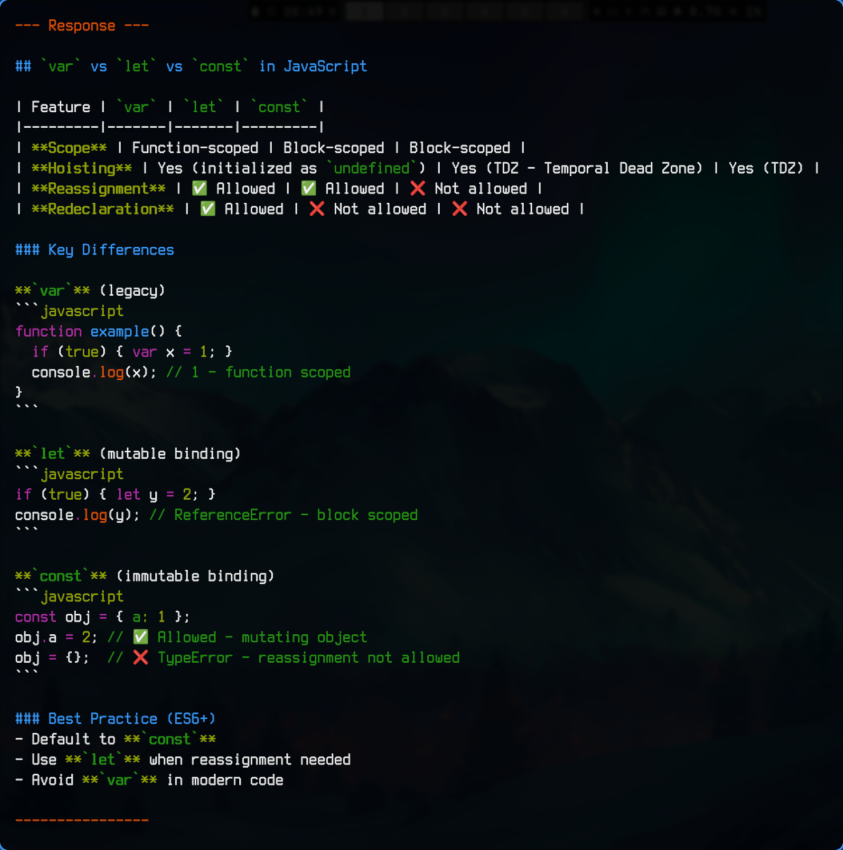
Interactive mode
askRun without arguments and the script will politely ask you to type a question.
Change model
List available models with pricing and pick one interactively (ask -m auto-refreshes pricing data if it hasn't been fetched today):
ask -m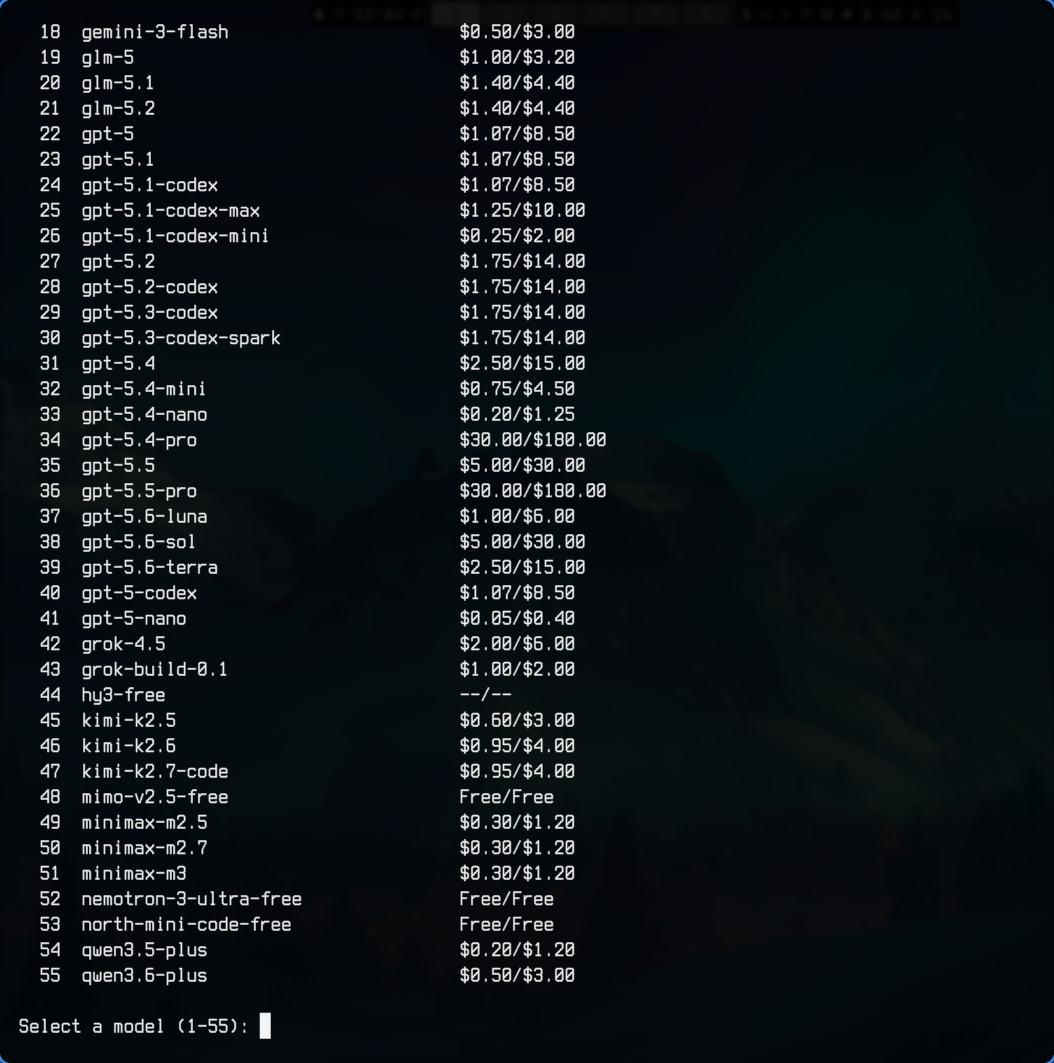
Set a model directly:
ask -m big-pickleSet a model and send a prompt in one command:
ask -m gemini-3.5-flash "explain monads"Cost warning threshold
Set a threshold (per 1M input tokens) for warnings before sending a query with an expensive model. Default is 2.00.
ask -c
ask -c 2.50
When a model exceeds the threshold, ask pauses to ask if you really meant to spend that much. Press Enter to continue, m to switch models, or anything else to exit and keep your wallet happy.
Attach a file
End the prompt with < path/to/file and ask will scoop up that file and staple its contents to the end of your prompt:
ask summarize this file '<' /path/to/file.txt
ask -m gemini-3.5-flash "explain this code < src/main.py"
The < must be followed by at least one space and the path must be the last token. If the path doesn't exist as a readable file, the prompt is sent unchanged, so asking "is 5 < 10" won't accidentally try to open a file named 10.
Note:<is also a shell redirection operator. On the command line you must quote or escape it so the shell passes it toaskas part of the prompt. In interactive mode you can type it normally.
System skill
Every prompt is automatically prepended with a system skill. Think of it as your personal hype coach whispering instructions before the model takes the stage. By default it says:
You: expert in computers. All answers to be cited. Cites dated from when cite was obtained in your training data. Responses should be markdown with diagrams if helpful, unless response less than 10 lines. Answer quick, short, and to the point. Do not ask for clarifications. If you make assumptions, include those assumptions in response.
Customize or silence it by running ask -s. If you know the majority of your questions will be about basket weaving, you should probably change the SKILLS.md and put something in there like "you are an Olympic basket weaving coach." But understand that with that skill in there, if you do start asking stuff about computers, you might get some peculiar responses. ;)
Examples
ask explain tail recursion with examples
ask "my dotnet application is telling me i do not have any SDK's installed when trying to build but i do have dotnet SDKs installed on my linux machine. what would cause this and how to fix it."
ask how does a hash table work
ask give me a regex to find all occurrences of the word 'floor' but only if it is the last word of a sentence.
ask -m gemini-3.5-flash "explain this code < src/main.py"
Installation
Clone and run
git clone https://github.com/emo333/ask.git
cd ask
chmod +x ask
./ask "ready"
Install to PATH
git clone https://github.com/emo333/ask.git
sudo cp ask/ask /usr/local/bin/ask
Shell alias
echo 'alias ask="$HOME/ask/ask"' >> ~/.bashrc
source ~/.bashrc
Shell function
Add to ~/.bashrc or ~/.zshrc:
ask() {
  /path/to/ask/ask "$@"
}
Development
- Clone the repo
- Edit the
askscript - Test with
./ask "does this work" - Submit a pull request
No build system, no test suite, no ceremony. Just a bash script and a dream.
The Pitch
How many times do you find yourself in the terminal with some one-off question? You read a man page and don't have time to read a novel. You tldr something but the examples don't relate to what you need. You just need a simple bash script. Or a Python one-liner.
Instead of opening a browser to search, or opening some AI chat interface (Desktop, Web, or TUI), just type ask and your question right in your terminal no matter where you are and get your answer right there.
It's not revolutionary. It's not trying to be. It's just a tool that does one thing and does it well. Like a hammer. But for questions. A question hammer.
Resources
Check it out on GitHub: emo333/ask